Stop Wasting Expensive Paper.

Faster Production. Less Waste. Easier Cuts.

NestPrint fits multiple images onto a single roll or sheet job, adds a real cutting line around every print, and remembers the layout for reprints. Works with your Canon, HP, or Epson driver. No RIP, no subscription, built for Mac.

Reduce Paper Waste

NestPrint automatically arranges your files in the most efficient arrangement, saving you maximum paper waste. The status section also shows you paper usage by percentage.

Automatic Nesting

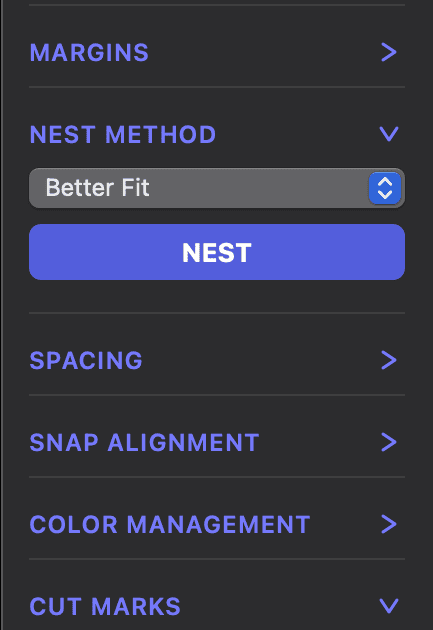
With 3 nesting modes at the click of a button, NestPrint arranges your files in the most efficient order and shows you your waste paper usage and waste percentage for each job.

Custom Cut Marks

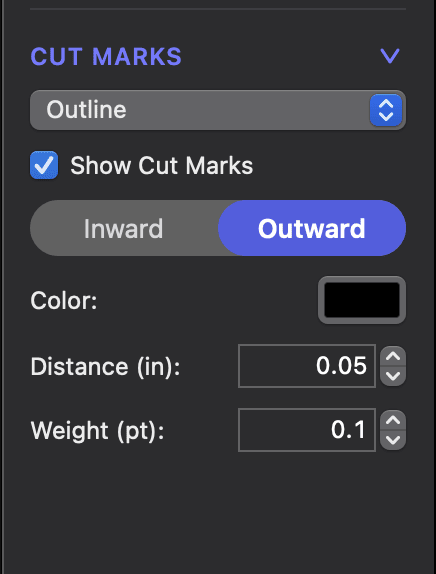
Trimming your prints has never been so easy. Set crop marks, registration, or full cut outlines while customizing thickness, location and distance.
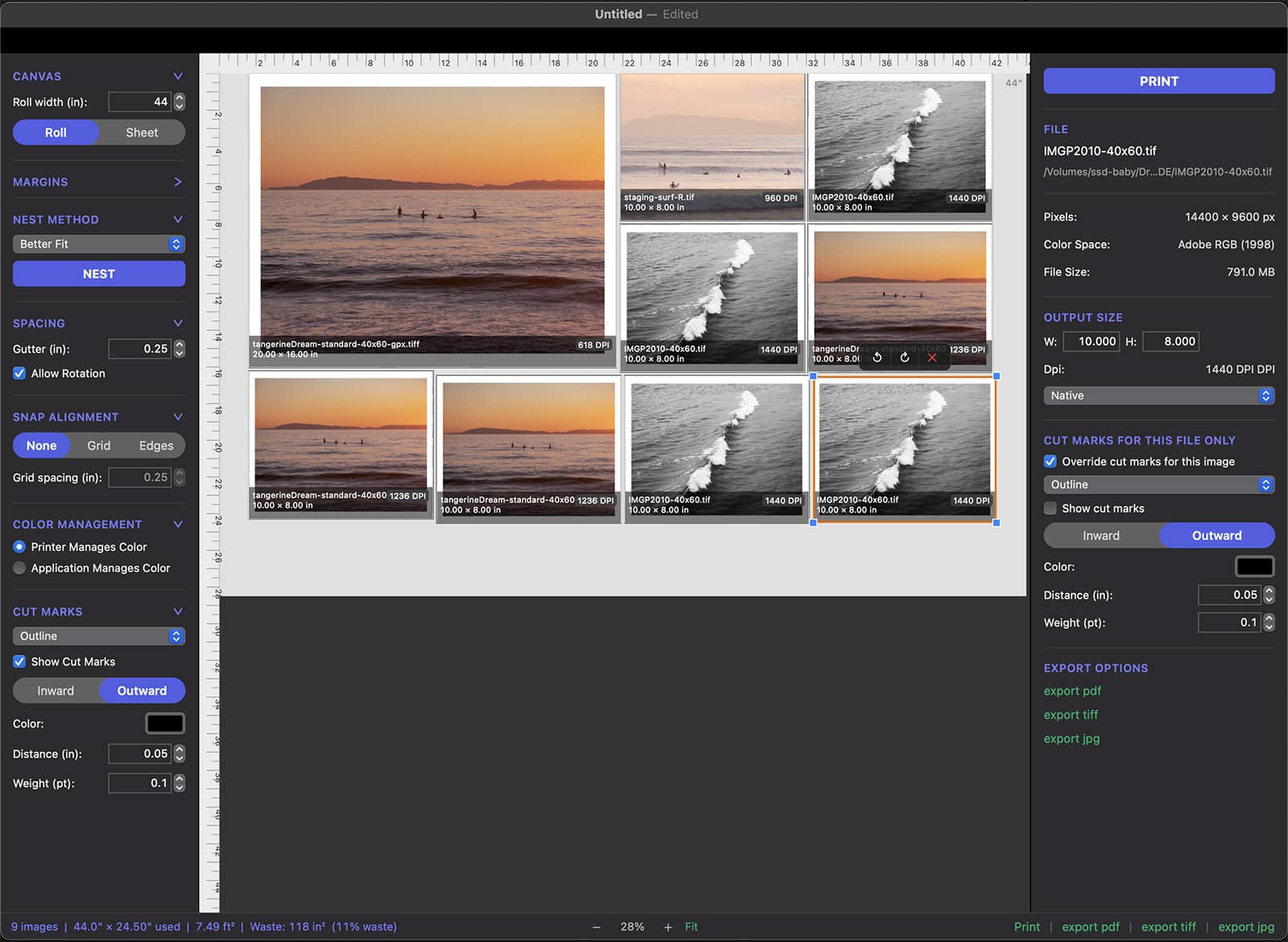
Screenshot of the NestPrint nesting UI
Screenshot of automatic nesting modes in NestPrint
Screenshot of custom cut marks in NestPrint

"NestPrint makes our daily print jobs so much faster, more efficient, and easier to trim."

– Molly Frances,
Capricorn Press

Everything Canon Print & Layout skipped.

Perimeter cut line

A solid, continuous line around every image, set at whatever offset you trim to. Follow one line instead of guessing between four corner ticks. This feature alone speeds your workflow.

Multi-image nesting

Better Fit packs tightly to shrink roll length. Fewer Cuts groups images to cut fewer times. Auto-rotation finds space other apps can't see. Your images stay at their imported size, nesting never resizes anything without you telling it to.

Save and reprint

Nestprint saves the whole job as its own file: nest arrangement, ICC profile, cut marks, everything. Open it in six months and print the exact same edition. You can also export any nest to pdf, tiff, or jpeg.

See exact  paper usage and waste for each job
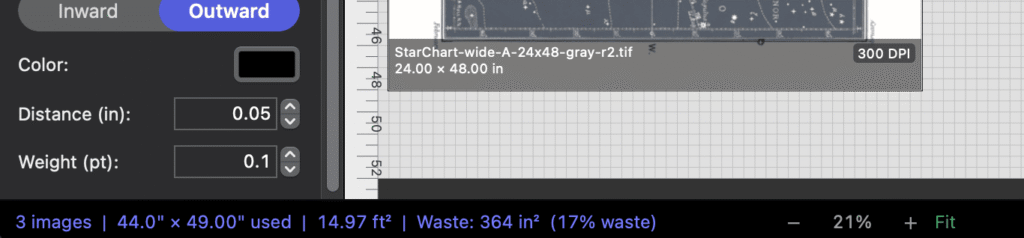
The Status bar shows paper usage and waste for the images in your nest. It alllows you to see how much paper your nest will consume and how much paper waste your nest creates. Of course, there will always be a small amount of unprinted paper but NestPrint allows you to dial in the smallest possible amount of unused paper.
NestPrint status bar that shows paper usage

File Data at a glance

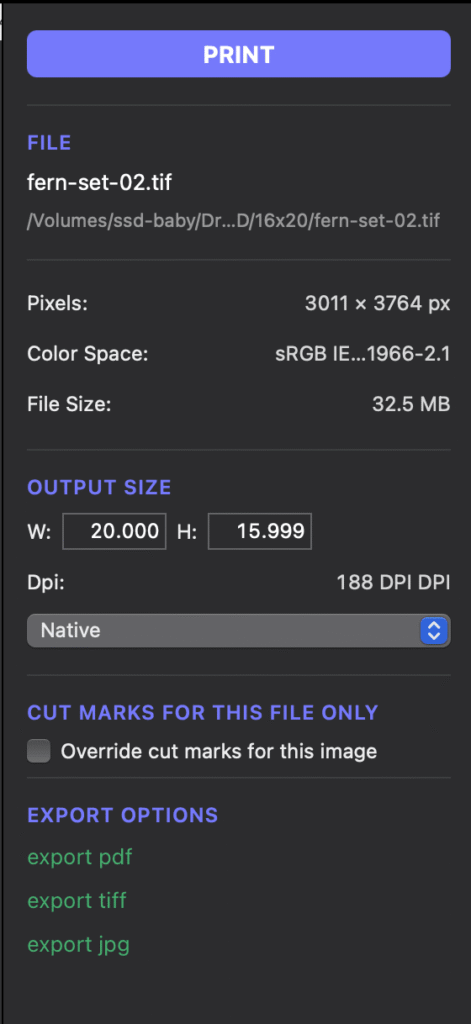
The export panel shows you image info such as size and color space for each selected image. 

Resize files in app 

Resize your files to preset standard sizes or input and save your own custom sizes. You can also assign per-image cut marks, and override the global cut mark settings if desired.

Export to pdf, tiff, jpg

If you're not ready to print, you can also export your nest to pdf, tiff, or jpg.

Save reuseable jobs

You can also save the entire nest as a file that stores all details, including size, placement, and cut marks.

Why NestPrint?

We made NestPrint for our own workflow.

We used a program called ImageNest for many years to run our print jobs. This was the only software available at the time without the large expense of a RIP that would allow easy nesting and custom cut marks. ImageNest dissapeared one day without a trace, which led us to try other apps such as Qimage One, Epson Print Layout, and Canon Print & Layout.
None of these options worked very well, with unsophisticated nesting algorithms, few trim mark options, no save options, clunky UI, vendor-specific compatibility, and other limitations.
Frustrations compounded over the years and we committed to building our own solution for our own fine art and photography print shop workflow. Being able to draw a trim line around a 40" x 60" photograph with a white border makes trimming it so much easier than the corner marks that every other program uses.
It has been such a useful tool in our studio that we are making it available to our peers in the photography and fine art printing industry.
Flat lay collage of trimmed prints produced with NestPrint

Every inch of paper costs money. Use it smarter.

$79 introductory price until November 2026. $99 after.

One-time purchase, 14-day free trial.

Download 14-Day Trial